Do not download that e-Challan! New scam targeting citizens through WhatsApp
| Date :09-Jun-2025 |
By Dheeraj Fartode :
A new kind of cyber fraud is now making the rounds in Nagpur and nearby areas. Scamsters are targeting citizens using fake traffic challan messages sent through WhatsApp. The fraud involves downloading a harmful file, which can steal money and personal data from the mobile phone.
Cyber Police officials have confirmed that they are now receiving complaints from the public about this type of scam.
How the fraud works
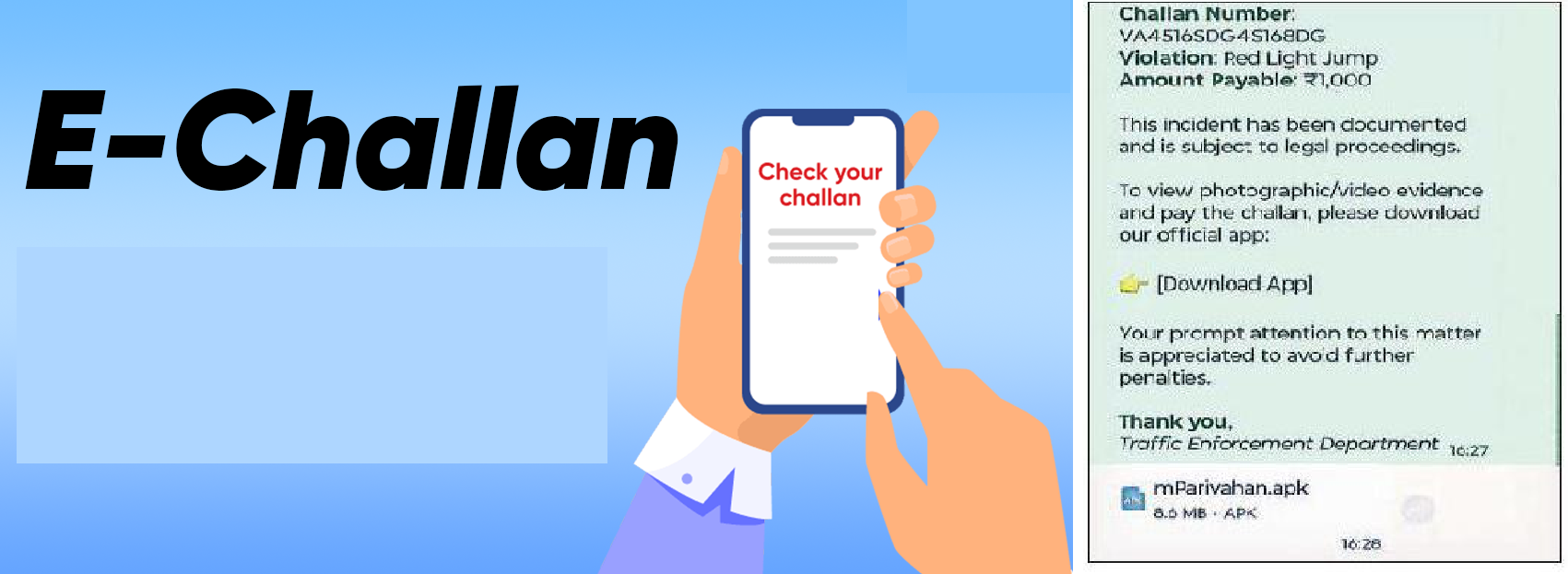
Victims receive a message on WhatsApp from an unknown number. The message looks official, often showing a logo of the RTO (Regional Transport Office or Traffic Police) or the mParivahan app. It claims that the person has violated traffic rules and needs to pay a fine. The message contains a fake challan number, details of a traffic violation and an amount to be paid. To see the full challan, users are asked to download an APK ((Android Package Kit) file - a type of app file for Android phones.
Dangerous App Steals Data
Once the APK file is downloaded and installed, it asks for permissions such as access to contacts, phone calls, and SMS messages. It also tries to become the default messaging app on the phone.
When the user allows this, the fake app secretly sends the phone’s messages,
including one-time passwords (OTPs), to a Telegram bot controlled by the scamsters. Using these OTPs, they can log into banking apps or shopping sites and steal money without the user even knowing.
A resident shares
his experience
Rutu Borkar, a resident of Wardha Road, recently received such a message.
It came from mobile number 9177785330. The message looked very real and included details like a challan number, type of violation and amount payable. It instructed him to download the APK file to see more details. Borkar fortunately did not fall for the scam and instead, reported the incident.
Do not download the file: DCP Matani
“This is a new way of cheating people,” said DCP Cyber Lohit Matani. “The APK file contains malware. Once it’s installed, it takes control of your phone, accesses your SMS, and starts doing fraudulent transactions without your knowledge.” He urged the public to never download unknown APK files, especially from WhatsApp messages or unknown numbers. He also advised users to immediately block and report such numbers to the police.
What to do if you get such message
- Do not download the APK file.
- Do not click on any links in the message.
- Block the sender’s number immediately.
- Report the number to Cyber Police.
- Use official Govt apps only from Google Play Store.